Please note that this CAN NOT be undone
- Go to your GCX community
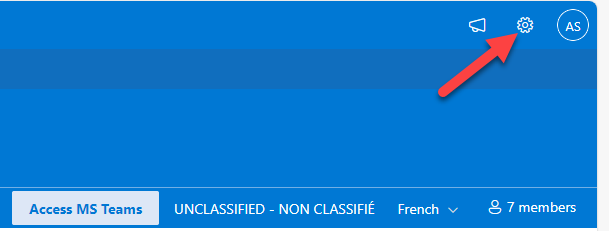
- Click on the "gear" icon in the upper right (settings)
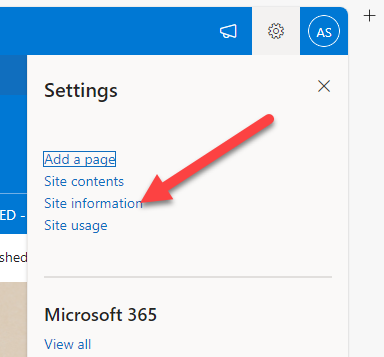
- Click on Site Information
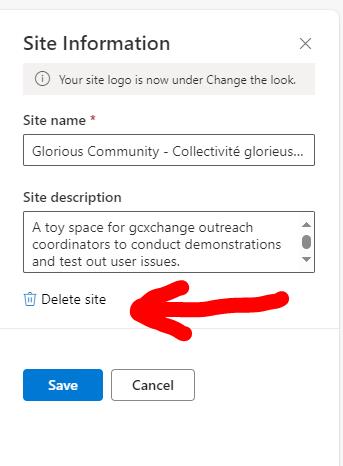
- In Site Information click on Delete Site (screen capture below)
Please note that this CAN NOT be undone
Was this article helpful?
That’s Great!
Thank you for your feedback
Sorry! We couldn't be helpful
Thank you for your feedback
Feedback sent
We appreciate your effort and will try to fix the article