Click on community Teams you want to leave

Open your community MS Teams on web browser
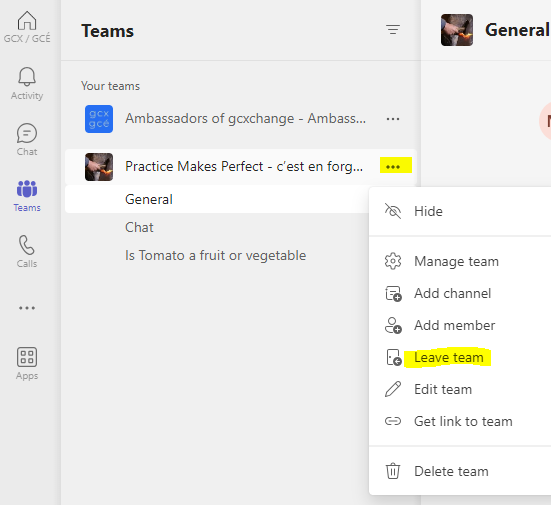
Locate the community's name, click on 3 dots in front of the community's name and click on Leave
Was this article helpful?
That’s Great!
Thank you for your feedback
Sorry! We couldn't be helpful
Thank you for your feedback
Feedback sent
We appreciate your effort and will try to fix the article